pygmt.Figure.basemap
- Figure.basemap(projection=None, zsize=None, zscale=None, frame=False, region=None, map_scale=None, compass=None, rose=None, box=False, verbose=False, panel=False, transparency=None, perspective=False, **kwargs)
Plot base maps and frames.
Creates a basic or fancy basemap with axes, fill, and titles. Several map projections are available, and separate tick-mark intervals for axis annotation, ticking, and gridlines can be specified.
If not in subplot mode (see
pygmt.Figure.subplot), at least one of the parametersframe,map_scale,rose, orcompassmust be specified.Note
Parameters
map_scale,rose,compass, andboxare deprecated in favor of the dedicated higher-level methods:pygmt.Figure.scalebar: Add a scale bar on the plot.pygmt.Figure.directional_rose: Add a directional rose on the plot.pygmt.Figure.magnetic_rose: Add a magnetic rose on the plot.
These methods provide more comprehensive and flexible APIs for their respective plot elements.
Full GMT docs at https://docs.generic-mapping-tools.org/6.6/basemap.html.
Aliases:
f = coltypes
B = frame
J = projection
Jz = zscale
JZ = zsize
L = map_scale
R = region
Td = rose
V = verbose
c = panel
p = perspective
t = transparency
- Parameters:
projection (
str|None, default:None) – projcode[projparams/]width|scale. Select map projection.zsize (
float|str|None, default:None) – Set z-axis scaling or z-axis size.region (str or list) – xmin/xmax/ymin/ymax[+r][+uunit]. Specify the region of interest. Required if this is the first plot command.
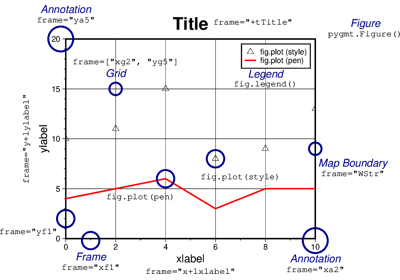
frame (bool, str, or list) – Set map boundary frame and axes attributes.
map_scale (
str|None, default:None) –Draw a map scale bar on the plot.
Deprecated since version v0.19.0: Use
pygmt.Figure.scalebarinstead. This parameter is maintained for backward compatibility and accepts raw GMT CLI strings for the-Loption.compass (
str|None, default:None) –Draw a map magnetic rose on the map.
Deprecated since version v0.19.0: Use
pygmt.Figure.magnetic_roseinstead. This parameter is maintained for backward compatibility and accepts raw GMT CLI strings for the-Tmoption.rose (
str|None, default:None) –Draw a map directional rose on the map.
Deprecated since version v0.19.0: Use
pygmt.Figure.directional_roseinstead. This parameter is maintained for backward compatibility and accepts raw GMT CLI strings for the-Tdoption.box (
Box|str|bool, default:False) –Draw a background box behind the scalebar, directional rose, or magnetic rose.
Deprecated since version v0.19.0: Use the
boxparameter inpygmt.Figure.scalebar,pygmt.Figure.directional_rose, orpygmt.Figure.magnetic_roseinstead. This parameter is maintained for backward compatibility and accepts raw GMT CLI strings for the-Foption.verbose (bool or str) – Select verbosity level [Full usage].
panel (
int|Sequence[int] |bool, default:False) –Select a specific subplot panel. Only allowed when used in
Figure.subplotmode.Trueto advance to the next panel in the selected order.index to specify the index of the desired panel.
(row, col) to specify the row and column of the desired panel.
The panel order is determined by the
Figure.subplotmethod. row, col and index all start at 0.coltypes (str) – [i|o]colinfo. Specify data types of input and/or output columns (time or geographical data). Full documentation is at https://docs.generic-mapping-tools.org/6.6/gmt.html#f-full.
perspective (
float|Sequence[float] |str|bool, default:False) –Select perspective view and set the azimuth and elevation of the viewpoint.
Accepts a single value or a sequence of two or three values: azimuth, (azimuth, elevation), or (azimuth, elevation, zlevel).
azimuth: Azimuth angle of the viewpoint in degrees [Default is 180, i.e., looking from south to north].
elevation: Elevation angle of the viewpoint above the horizon [Default is 90, i.e., looking straight down at nadir].
zlevel: Z-level at which 2-D elements (e.g., the map frame) are drawn. Only applied when used together with
zsizeorzscale. [Default is at the bottom of the z-axis].
Alternatively, set
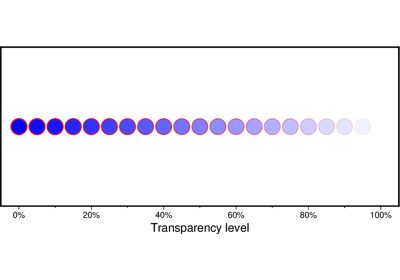
perspective=Trueto reuse the perspective setting from the previous plotting method, or pass a string following the full GMT syntax for finer control (e.g., adding+wor+vmodifiers to select an axis location other than the plot origin). See https://docs.generic-mapping-tools.org/6.6/gmt.html#perspective-full for details.transparency (float) – Set transparency level, in [0-100] percent range [Default is
0, i.e., opaque]. Only visible when PDF or raster format output is selected. Only the PNG format selection adds a transparency layer in the image (for further processing).
Examples using pygmt.Figure.basemap



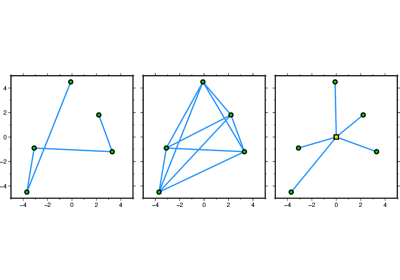
GeoPandas: Plotting lines with LineString or MultiLineString geometry



GeoPandas: Plotting points with Point or MultiPoint geometry